The Ultimate Guide to Online Coding Classes for Kids
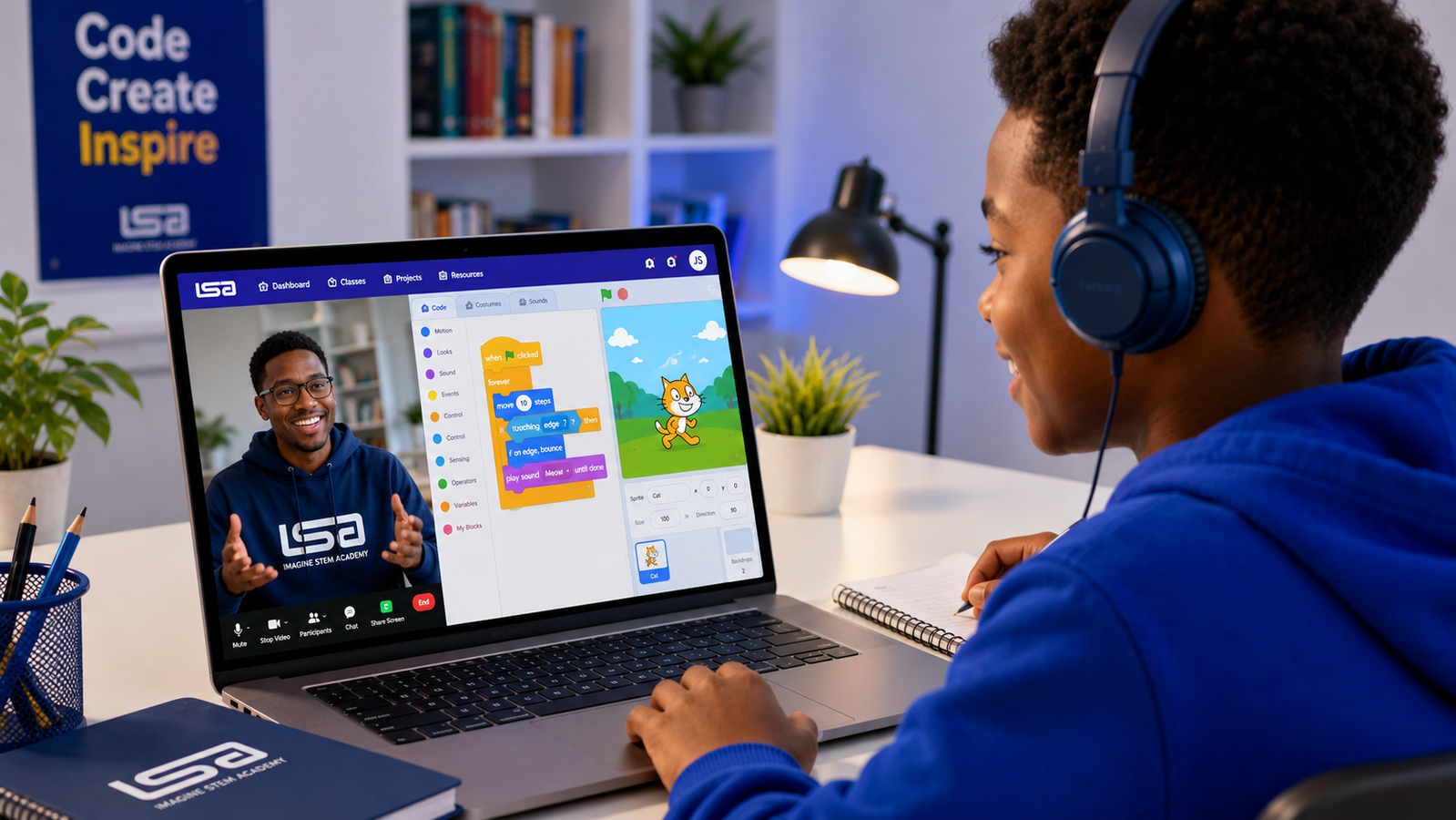
Online Coding Classes for Kids: The Complete 2026 Parent Guide
Children now use technology for entertainment, communication, schoolwork and creativity. Online coding classes for kids help them move beyond simply consuming digital content to understanding how technology works and using it to create their own games, websites, applications, animations, robots and artificial intelligence projects.
However, not every coding programme offers the same learning experience.
Some classes rely mainly on recorded videos. Others provide live tutoring, structured projects, regular feedback and a clear progression from beginner-friendly block coding to text-based programming. The best choice depends on your child’s age, interests, current experience and preferred way of learning.
This guide explains what children learn in online coding classes, the appropriate courses for different ages, how to assess a programme and how to choose a learning path that can keep your child interested over time.
What Are Online Coding Classes for Kids?
Online coding classes for kids are structured lessons that teach children how to give instructions to computers, create digital projects and solve problems using programming concepts.
Depending on the programme and the child’s level, these classes may cover:
- Scratch and block-based programming
- Python
- HTML, CSS and JavaScript
- Artificial intelligence and machine learning
- Game development
- Roblox Studio and Lua
- Mobile app development
- Robotics and electronics
- Website design
- Data science
- User interface and user experience design
Coding is the process of writing instructions that tell a computer how to perform a task. Those instructions can be used to create websites, applications, games, automated systems and many other digital products. (ComputerScience.org)
For younger learners, the instructions may appear as colourful blocks that fit together like puzzle pieces. Older or more experienced learners usually progress to typed programming languages such as Python and JavaScript.
Why Should Children Learn Coding?
The purpose of teaching a child to code is not necessarily to turn the child into a professional software developer.
A strong coding programme helps children practise how to:
- Break complicated problems into manageable steps
- Identify patterns
- Test possible solutions
- Learn from mistakes
- Organise their ideas logically
- Build projects from an initial idea
- Explain how their solution works
- Use technology creatively and responsibly
UNESCO identifies coding and computational thinking as skills that can help learners create with technology and solve problems through algorithms. Its digital-literacy initiatives in Africa also connect coding education with confidence, creativity and computational thinking. (UNESCO)
These abilities remain valuable even when a child eventually chooses a career outside technology.
What Is the Best Age for a Child to Start Coding?
There is no single age at which every child must begin.
Children can encounter age-appropriate computational-thinking activities from the early primary years, but the best starting point depends on their reading ability, attention span, confidence with devices and interest in creating things.
A practical progression looks like this:
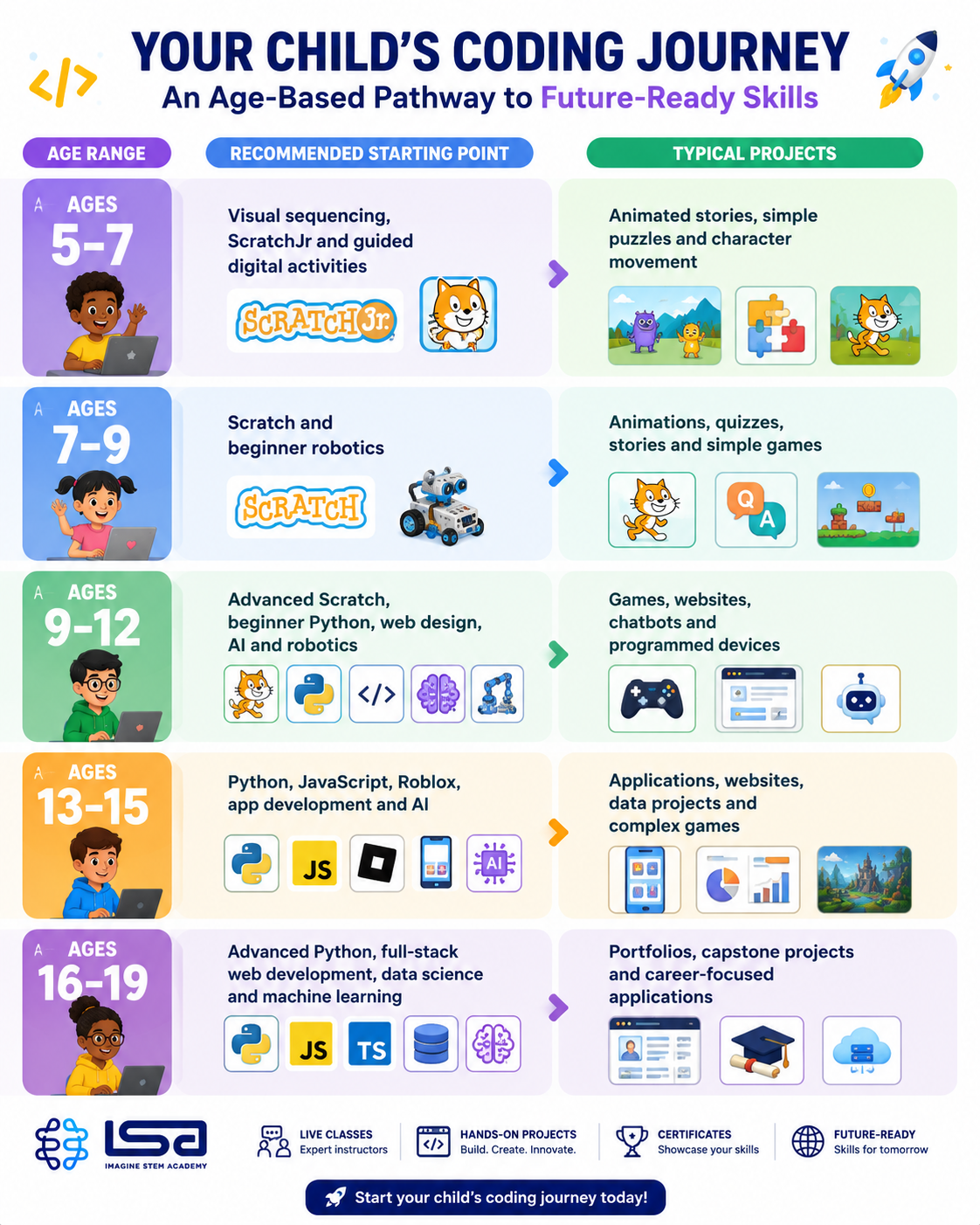
Code.org provides introductory computer science and AI activities for learners aged 5–11, while its broader curriculum extends into high school topics such as programming, data, networks, cybersecurity and artificial intelligence. (Code.org)
The most important factor is not starting as early as possible. It is starting with a course that matches the learner’s developmental stage.
Which Coding Course Is Right for Your Child?
The best course should connect with something the child already enjoys.
A child who loves stories may enjoy Scratch animation. A learner interested in games may respond better to game development. A teenager who wants to understand artificial intelligence may be ready for Python, data and AI projects.
Scratch Programming
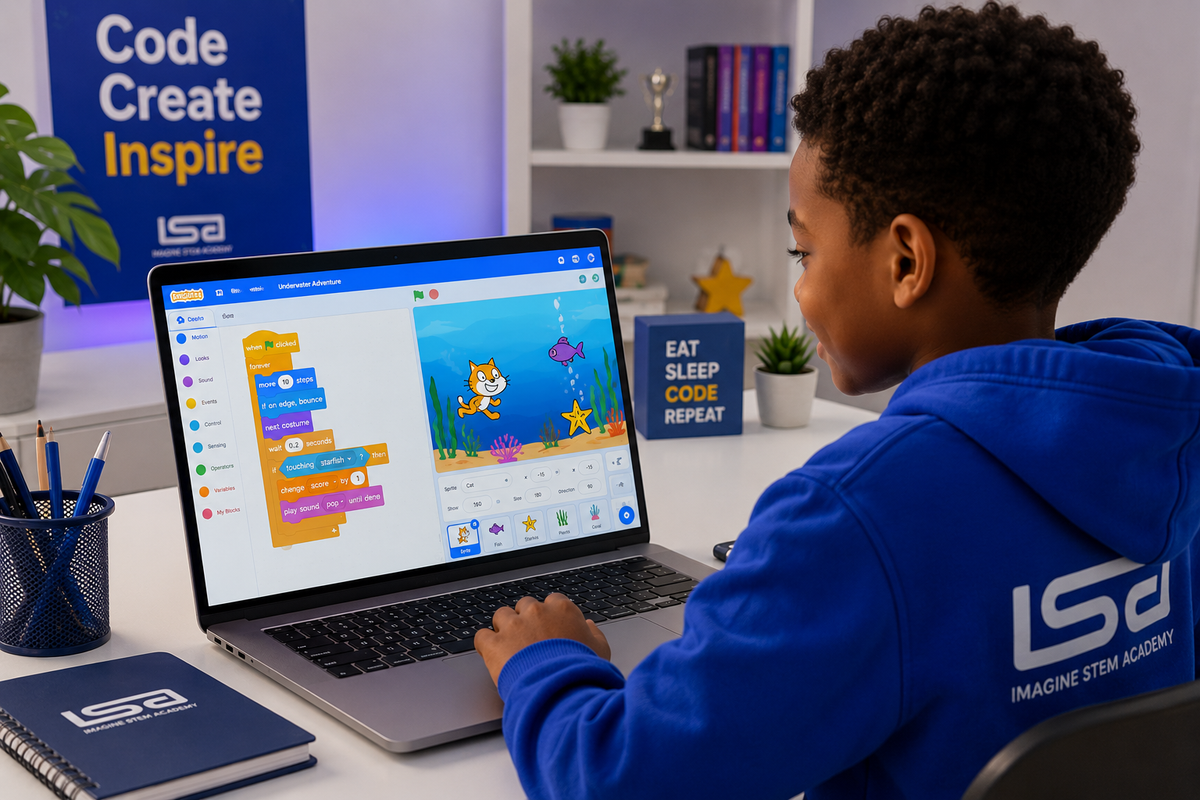
Scratch is often the most suitable starting point for children who are new to coding.
Instead of memorising programming syntax, learners drag and connect visual blocks to control characters, sounds, movement, scoring and events.
Scratch can introduce concepts such as:
- Sequences
- Loops
- Conditions
- Variables
- Events
- Coordinates
- Functions
- Debugging
Children can use these concepts to create animations, interactive stories, quizzes and games.
Visual programming reduces the initial difficulty of typing code, allowing beginners to concentrate on logic and creativity. Scratch also provides a global project-sharing community for young creators. (Class Central)
Best suited to: Beginners aged approximately 6–12.
Recommended ISA pathway: Scratch Programming with AI.
Python Programming
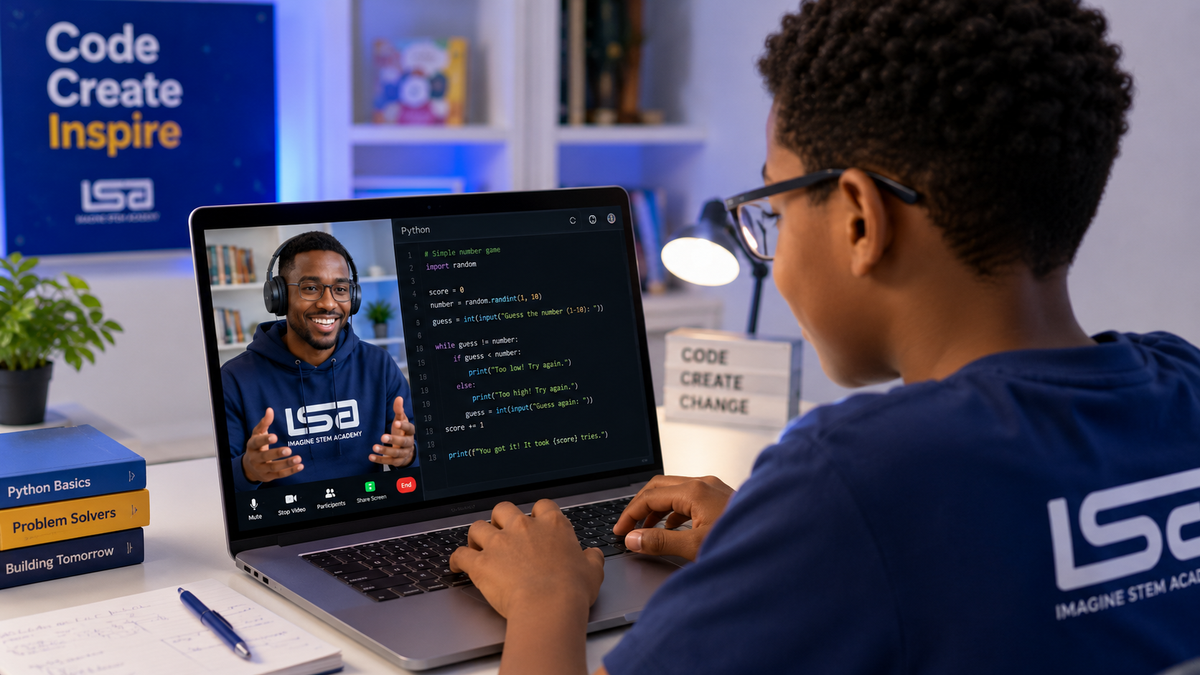
Python is a text-based programming language frequently recommended for older beginners because its syntax is relatively readable.
Children can use Python to build:
- Number games
- Quizzes
- Drawing programmes
- Chatbots
- Simple applications
- Data visualisations
- Introductory artificial intelligence projects
A child should generally understand foundational concepts such as variables, conditions and loops before attempting advanced Python.
Best suited to: Motivated beginners from approximately age nine, older children who have completed Scratch and teenagers who want more advanced programming experience.
Recommended ISA pathway: Python Guru or AI and Machine Learning.
Website Development
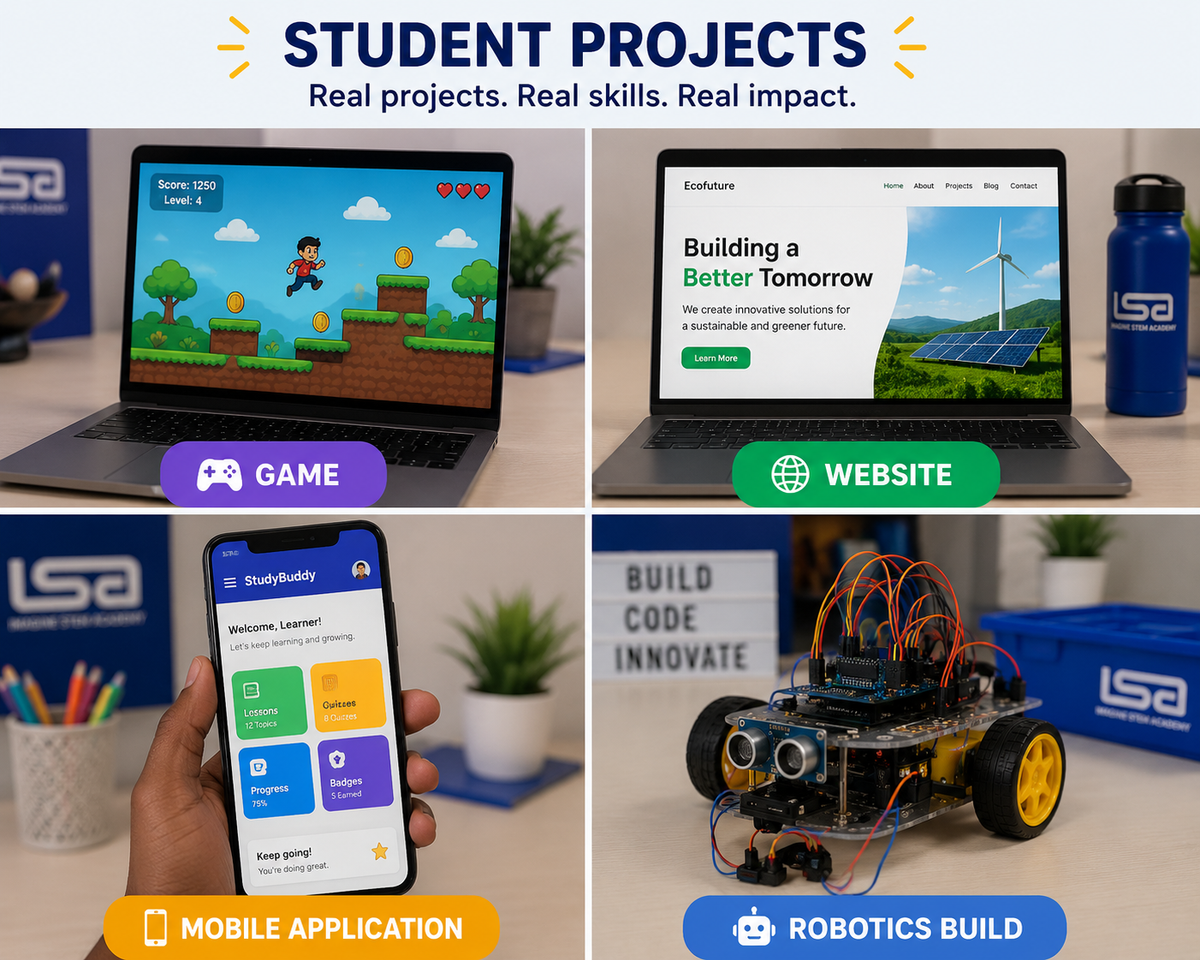
Website-development classes teach children how pages on the internet are designed and programmed.
Students may learn:
- HTML for content structure
- CSS for layout and visual styling
- JavaScript for interaction
- Responsive web design
- Forms and navigation
- Basic accessibility
- Website publishing
Website development is particularly valuable for learners who want to see a practical result quickly. A student can create a personal website, school project, simple business website or digital portfolio.
Best suited to: Learners aged approximately 10–19.
Recommended ISA pathway: Website Development.
Game Development
Game development combines coding, visual design, storytelling, logic and user experience.
Depending on the child’s age, game-development classes may use:
- Scratch
- Roblox Studio
- Lua
- Unity
- JavaScript
- Python
A well-designed game-development course should teach more than how to use a platform. It should cover game rules, variables, player interaction, scoring, testing and debugging.
Best suited to: Children and teens who enjoy games and want to understand how they are created.
Recommended ISA pathways: Video Game Development for Kids and Roblox Guru.
Artificial Intelligence and Machine Learning
AI classes for kids introduce learners to how machines identify patterns, respond to prompts, classify information or make predictions.
Age-appropriate topics can include:
- What artificial intelligence is
- How training data works
- Image and sound recognition
- Prompt design
- Chatbot creation
- AI ethics
- Bias and misinformation
- Beginner machine-learning projects
- Python for AI
AI should not be taught as a shortcut that completes every task for the learner. Children still need opportunities to think independently, test ideas and evaluate AI-generated responses.
Research into AI-assisted coding for children suggests that AI tools can support ideation and debugging, but effective learning requires a balance between assistance and independent problem-solving. (arXiv)
Best suited to: Learners aged approximately 9–19, with simpler visual AI tools for younger children and Python-based projects for teens.
Recommended ISA pathways: AI and Machine Learning, Scratch Programming with AI and AI for Teens.
Robotics and Physical Computing
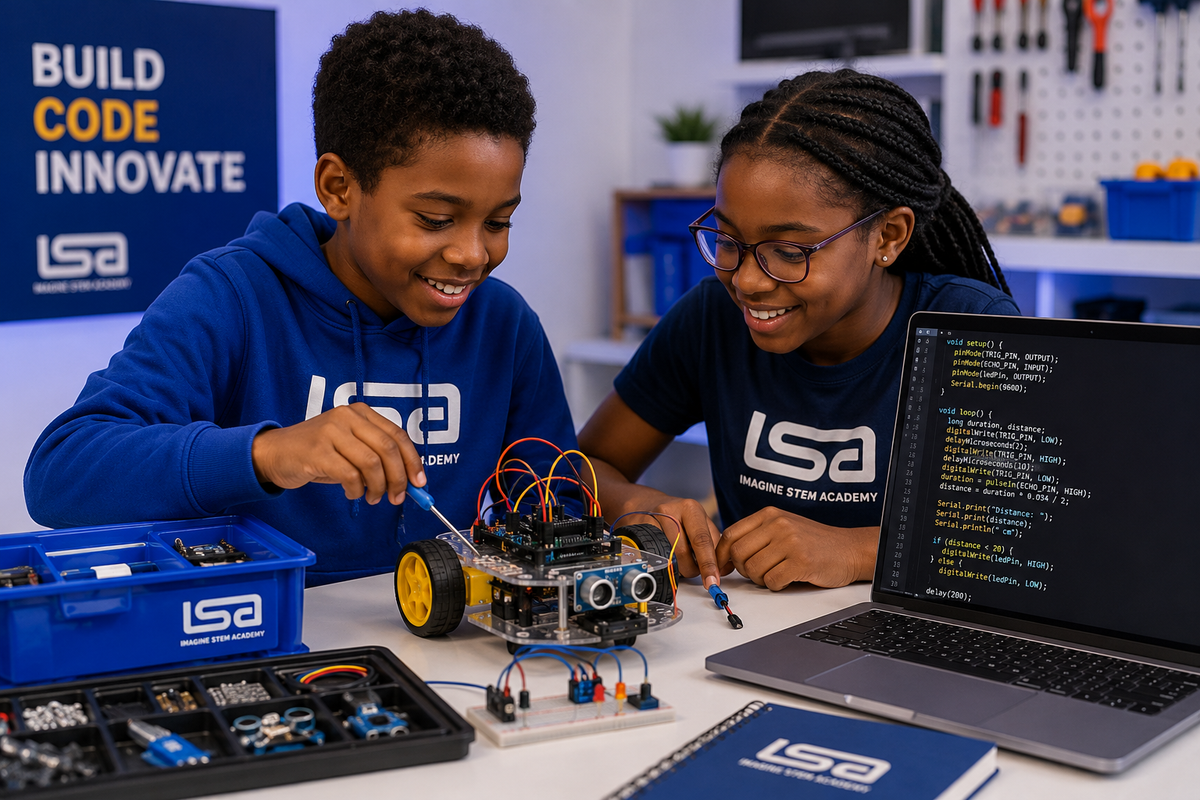
Robotics allows children to see code produce a physical result.
Learners may program:
- Lights
- Sensors
- Motors
- Buzzers
- Small robots
- Arduino devices
- Automated systems
Robotics lessons combine software with engineering and electronics. This can be especially helpful for children who prefer practical, hands-on learning.
Best suited to: Learners aged approximately 7–19, depending on the equipment and project complexity.
Recommended ISA pathway: Robotics for Kids.
Mobile App Development
App-development classes teach children how to design applications that respond to buttons, user input, stored information and other events.
Learners may build:
- Quiz applications
- Study tools
- Simple games
- Calculators
- Habit trackers
- Community-focused solutions
App development helps children connect coding with everyday problems and potential business ideas.
Best suited to: Learners aged approximately 10–19.
Recommended ISA pathway: App Development for Kids.
Live Classes or Self-Paced Coding Courses?
Parents usually encounter three main formats.
Live One-to-One Classes
One instructor teaches one learner.
Advantages include:
- Personalised lesson pacing
- Immediate help
- More time for questions
- Lessons aligned with the learner’s interests
- Easier identification of knowledge gaps
- Flexible progression
This format is often appropriate for children who require focused support, have specific goals or learn significantly faster or slower than a typical group.
Live Small-Group Classes
Several children learn together with an instructor.
Advantages include:
- Peer interaction
- Collaborative activities
- Shared problem-solving
- More affordable tuition in many programmes
- Opportunities to present projects
The quality depends heavily on class size. Very large classes can make it difficult for instructors to observe each learner’s work.
Self-Paced Classes
The learner follows recorded videos, instructions or interactive exercises independently.
Advantages include:
- Flexible learning times
- Lower cost
- Easy lesson repetition
- Access from different locations
The main limitation is that a child may become stuck, lose motivation or complete activities without fully understanding the concepts.
Which Format Is Best?
For most beginners, live instruction is more dependable because the instructor can answer questions, correct misunderstandings and adjust the lesson.
Self-paced resources can still be useful for revision and extra practice. They are most effective when combined with periodic feedback from an instructor or parent.
What Makes a Good Online Coding Class?
A polished website or long list of courses does not necessarily indicate strong teaching.
Parents should assess the following areas.
1. Age-Appropriate Curriculum
The class should match the learner’s reading level, attention span and prior experience.
A seven-year-old beginner should not be placed directly into an advanced text-based programming course simply because Python is popular. Similarly, an experienced teenager should not remain indefinitely in introductory block coding.
2. Project-Based Learning
Children understand coding more effectively when they use each concept to build something meaningful.
A strong lesson might introduce variables and then ask learners to use them in a scoring system. A weak lesson may require students to copy instructions without understanding why each step matters.
Ask the provider:
- What will my child build?
- Will my child create original projects?
- Can we see examples of student work?
- Does the course end with a capstone project?
- Can the learner explain how the project works?
3. Qualified and Child-Friendly Instructors
Knowing how to code does not automatically make someone an effective teacher.
A good children’s coding instructor should be able to:
- Explain concepts simply
- Ask guiding questions
- Encourage experimentation
- Identify when a learner is confused
- Give constructive feedback
- Maintain appropriate online-learning boundaries
- Adapt activities to different learning needs
4. Small Classes or Personal Support
Check the number of learners assigned to each instructor.
A small class gives the teacher more opportunity to review individual projects, respond to questions and help learners who are stuck.
5. Clear Learning Outcomes
The provider should explain what the child will know or be able to create after the course.
“Your child will learn coding” is too broad.
A better outcome would be:
By the end of the course, the learner will be able to use events, loops, conditions and variables to design and present an original Scratch game.
6. Progress Reports
Parents should receive evidence of learning rather than relying only on attendance.
Useful evidence includes:
- Completed projects
- Instructor feedback
- Assessment results
- Skill checklists
- Portfolio links
- Presentations
- Certificates linked to clear requirements
7. Safe Learning Environment
Parents should understand:
- Which platforms will be used
- Whether lessons are recorded
- How instructors communicate with students
- Whether children can contact instructors privately
- How student information is protected
- Whether public project-sharing is optional
- What behaviour standards apply
8. Trial or Assessment Class
A trial class allows the parent, learner and instructor to evaluate suitability before a longer commitment.
During the trial, observe whether the instructor:
- Engages the child
- Checks existing knowledge
- Allows the child to participate actively
- Explains ideas clearly
- Recommends an appropriate starting level
Questions to Ask Before Enrolling
Before paying for an online coding programme, ask:
- Is the course suitable for a complete beginner?
- What age range is the course designed for?
- How many learners are in each class?
- Are classes live or recorded?
- How long is each lesson?
- What projects will the learner complete?
- What qualifications or experience do the instructors have?
- How is progress measured?
- What happens when a learner misses a lesson?
- Will parents receive reports?
- Are learning materials included?
- Does the child need a laptop or tablet?
- Which software must be installed?
- Is the software free?
- Can the learner move to another level after completing the course?
- Is there a trial lesson?
- How does the provider protect children online?
- Is the certificate based on attendance or demonstrated achievement?
The answers should be specific and easy to verify.
What Equipment Does a Child Need for an Online Coding Class?
Requirements vary by course, but a typical live online coding class may require:
- A laptop or desktop computer
- Reliable internet access
- A functioning webcam
- Headphones or speakers
- A microphone
- A modern web browser
- A quiet learning space
- A mouse, particularly for younger children
- A charger or reliable power source
A tablet may work for basic visual programming, but many advanced courses require a laptop because learners need to type, switch between windows, manage files and install software.
Robotics programmes may also require a kit, microcontroller or electronic components.
Parents should request the full technical requirements before the first class.
How Long Does It Take a Child to Learn Coding?
Coding is not a single skill that can be permanently completed.
A child may understand a basic concept within one lesson but need repeated projects to use it confidently.
Progress depends on:
- Age
- Frequency of lessons
- Practice between classes
- Course difficulty
- Teaching quality
- Previous experience
- Personal interest
- Access to feedback
A beginner can often create a basic project during an introductory class. Developing independent problem-solving ability usually requires consistent learning over several months.
A useful long-term pathway might be:
- Coding fundamentals
- Guided beginner projects
- Independent projects
- Intermediate programming
- Specialisation
- Portfolio or capstone development
Parents should therefore look for progression rather than expecting mastery after a brief holiday programme.
How Often Should a Child Attend Coding Classes?
For many learners, one or two structured classes per week is sufficient.
The child should also have time between classes to:
- Revise concepts
- Continue a project
- Experiment independently
- Correct errors
- Prepare questions
- Explore related ideas
Daily intensive programmes can work well during school holidays, provided the lessons remain practical and children receive appropriate screen breaks.
Consistency is usually more important than completing many hours within a very short period.
How Parents Can Support a Child Learning Coding
Parents do not need to know how to programme.
They can support learning by asking process-focused questions such as:
- What did you create today?
- What problem were you trying to solve?
- What went wrong?
- How did you fix it?
- What would you improve next?
- Can you show me how the programme works?
- What new feature would you like to add?
Avoid immediately taking control when the child encounters an error. Debugging is part of learning to code.
A helpful routine is to let the learner present one project at the end of each month. This builds communication skills and helps parents see whether the child understands the work.
Common Mistakes Parents Should Avoid
Choosing a Course Only Because the Language Is Popular
Python may be useful, but it is not automatically the best starting point for every six-year-old.
The correct starting language is the one that helps the learner understand foundational concepts without unnecessary frustration.
Focusing Only on Certificates
A certificate can document participation or achievement, but the child’s projects provide stronger evidence of practical ability.
Expecting Immediate Career-Level Skills
Children need time to develop logic, independence and confidence. Early lessons should not be judged by whether the learner can immediately build a commercial application.
Enrolling the Child in Too Many Courses
Learning Scratch, Python, robotics, app development and web design simultaneously can produce shallow understanding.
A structured progression is usually more effective.
Completing Projects for the Child
Parental help becomes counterproductive when the parent takes over the keyboard or supplies every answer.
The finished project may look impressive, but the learner misses the problem-solving experience.
Ignoring the Child’s Interests
A technically strong curriculum may still fail when the learner cannot connect it to something meaningful.
The instructor should use projects related to the child’s interests while still teaching the required concepts.
Online Coding Classes for Different Age Groups
Online Coding Classes for Ages 5–8
At this stage, lessons should be visual, guided and highly interactive.
Suitable topics include:
- Sequencing
- Patterns
- Events
- Basic loops
- Storytelling
- Animation
- Simple robotics
- Digital safety
Recommended starting courses:
- ScratchJr
- Introductory Scratch
- Coding fundamentals
- Beginner robotics
Lessons should generally focus on one clear objective at a time.
Online Coding Classes for Ages 9–12
Children in this age group can begin developing more complex projects and may transition from block coding to text-based programming.
Suitable topics include:
- Advanced Scratch
- Python foundations
- Game development
- Web design
- AI concepts
- Robotics
- App development
Learners should begin planning projects, testing their work and explaining their choices.
Online Coding Classes for Teens
Teenagers can work with industry-relevant tools while still receiving age-appropriate instruction.
Suitable topics include:
- Python
- JavaScript
- HTML and CSS
- Data analytics
- Artificial intelligence
- Machine learning
- Mobile applications
- UI/UX design
- Roblox Studio
- Unity
- Advanced robotics
Teen courses should increasingly emphasise independence, portfolios, teamwork and real-world problem-solving.
Online Coding Classes in Nigeria
Parents searching for online coding classes in Nigeria should consider more than location.
A locally grounded provider may offer:
- Lesson times aligned with West Africa Time
- Naira payment options
- Familiar examples and projects
- Easier parent communication
- Understanding of school schedules and local infrastructure
- Opportunities for physical programmes or events
- More accessible technical support
At the same time, online delivery allows Nigerian learners to study from anywhere and join classes with peers in the United Kingdom, United States, Canada and other countries.
The provider should clearly communicate how it handles electricity interruptions, unstable internet connections and missed lessons.
Learning Coding from the UK, USA or Canada
Families outside Nigeria can also participate in virtual classes, provided lesson schedules account for their time zone.
Before registering, confirm:
- The displayed time zone
- Whether daylight-saving changes affect the schedule
- International payment options
- Instructor availability
- Class-recording policy
- Rescheduling conditions
- Device and software requirements
Diaspora parents may also prefer programmes that allow their children to learn within a diverse international community while remaining connected to African educators, peers and project contexts.
Why Choose Imagine STEM Academy?
Imagine STEM Academy provides technology and STEM learning opportunities for children and teenagers aged 5–19.
ISA programmes are designed to help learners progress from introductory digital skills to practical projects in areas such as:
- Scratch programming
- Python
- Artificial intelligence
- Machine learning
- Robotics
- Web development
- App development
- Game development
- Creative design
- Video editing
- Public speaking
Rather than teaching children to copy code without understanding it, lessons should help them plan, build, test, debug and explain their projects.
Depending on the programme selected, learners may participate in live instruction, complete guided projects, receive mentorship and present their work.
Recommended ISA Learning Path
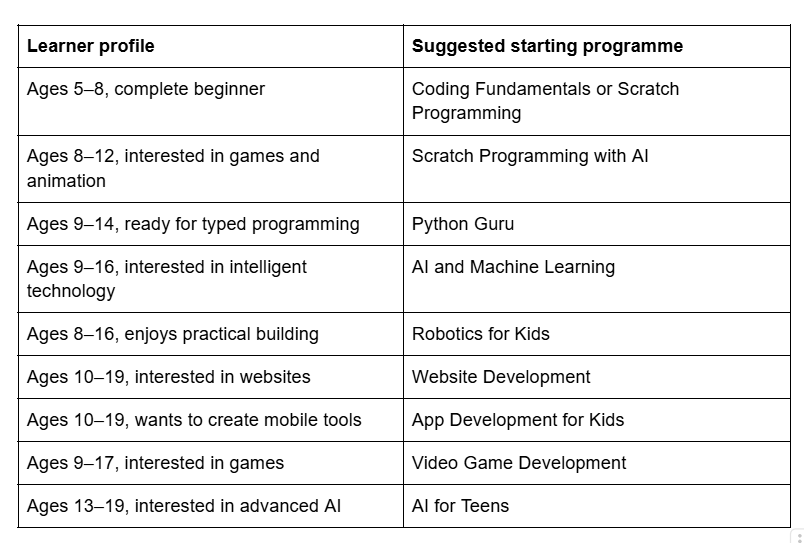
A placement conversation or trial lesson can help determine the most appropriate course.
Start with a Trial Coding Class
A trial class gives your child the opportunity to experience live instruction before beginning a complete programme.
During the session, the instructor can assess:
- Current technology skills
- Coding experience
- Learning pace
- Areas of interest
- Confidence
- Recommended course level
Join an ISA Summer Tech Camp
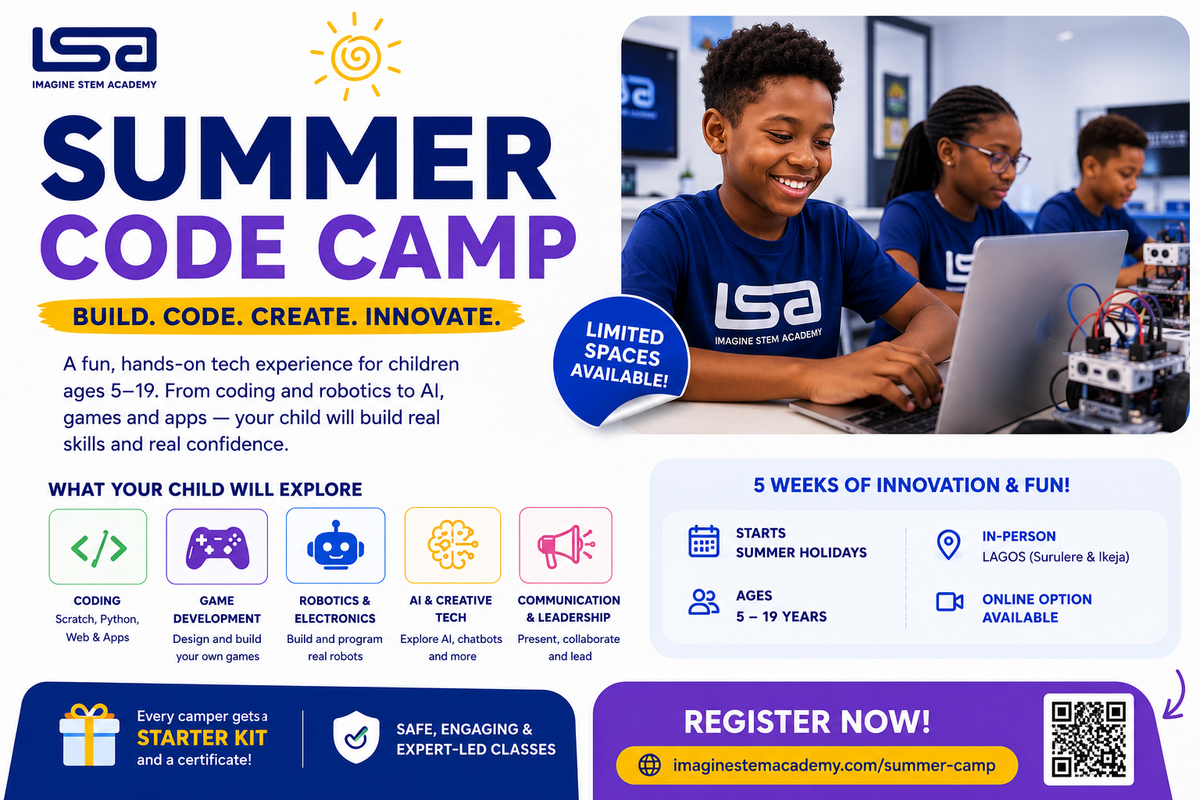
School holidays provide an opportunity for children to explore coding through focused, project-based learning.
Imagine STEM Academy’s Summer Tech Camp introduces children and teens to practical areas such as coding, robotics, artificial intelligence, game development and digital creativity.
Learners can participate in guided classes, build projects, receive mentorship and prepare work for a final showcase.
Explore the Summer Tech Camp
Frequently Asked Questions About Online Coding Classes for Kids
Are online coding classes good for children?
Online coding classes can be effective when they include live interaction, age-appropriate instruction, practical projects and regular feedback. The provider should also have clear child-safety and parent-communication procedures.
Can a seven-year-old learn coding?
Yes. Many seven-year-olds can learn sequencing, loops, conditions and events through visual tools such as Scratch or ScratchJr. The lessons should be interactive and appropriate for their reading and attention level.
Which coding language should a child learn first?
Scratch is a strong starting point for many younger beginners. Python may be suitable for older children and learners who already understand basic coding concepts. The child’s age, experience and interests should guide the decision.
Is Scratch real coding?
Yes. Scratch teaches genuine programming concepts such as sequences, loops, conditions, variables and events. It represents these concepts with visual blocks rather than typed syntax.
Is Python difficult for children?
Python can be accessible to children because its syntax is comparatively readable. However, the course must still be taught at the learner’s level and supported with appropriate projects.
Can children learn artificial intelligence?
Yes. Children can learn age-appropriate AI concepts such as pattern recognition, training data, image classification, prompts and responsible use. Older learners can build AI projects with Python and machine-learning tools.
Do coding classes require mathematics?
Basic arithmetic is useful, but a child does not need to be exceptional at mathematics to begin coding. The required mathematical level increases for specialised areas such as advanced algorithms, data science, graphics and machine learning.
Does my child need a laptop?
A laptop or desktop is recommended for most online coding courses. Some introductory visual-coding activities work on tablets, but advanced programming, web development and robotics generally require a computer.
How long should a coding class last?
Lesson length depends on age. Younger children may benefit from shorter sessions, while older children and teens can work for longer periods. The lesson should include participation, project work and breaks where appropriate.
How many coding classes should a child attend each week?
One or two lessons per week is suitable for many learners. Consistent independent practice between classes is more useful than attending numerous lessons without applying the concepts.
Are recorded coding courses effective?
Recorded courses can work for motivated learners, but beginners often benefit from live support. A child who becomes stuck may need immediate explanation and encouragement.
Should children learn coding during the summer?
Summer coding programmes can help children explore a new interest or complete a focused project. Parents should still check the teaching quality, schedule, project outcomes and class size.
Can coding improve problem-solving skills?
Coding gives learners repeated opportunities to break problems into steps, test solutions, identify errors and make improvements. These activities practise logical and computational thinking.
What can children build after learning coding?
Depending on their level, children can create animations, stories, websites, games, quizzes, mobile applications, robots, chatbots and data projects.
Is Roblox coding suitable for children?
Roblox Studio can introduce game design and Lua programming. Parents should choose a structured class that covers coding and online safety rather than focusing only on playing Roblox.
How can I tell whether my child is making progress?
Look for increasingly independent projects, clearer explanations, improved debugging and the ability to apply a concept in a new situation. Attendance alone is not a sufficient measure of progress.
Will coding guarantee a future technology career?
No course can guarantee a career. Coding education can give a learner useful technical and problem-solving foundations, but long-term outcomes depend on continued learning, interests, opportunities and other skills.
Can a child learn more than one programming language?
Yes, but it is usually better to build a strong foundation in one environment before adding several languages. Once the child understands core concepts, moving to another language becomes easier.
Are online coding classes safe?
They can be safe when the provider uses secure platforms, appropriate communication channels, trained instructors and clear safeguarding procedures. Parents should review these policies before enrolling.
How do I enrol my child at Imagine STEM Academy?
Select the relevant course or book a trial class. The ISA team can assess the learner’s age, experience and interests before recommending a suitable programme.
Final Advice for Parents
The best online coding class is not necessarily the programme with the longest course list, the most advanced terminology or the earliest promise of professional skills.
Look for a programme that:
- Matches your child’s age and current ability
- Uses practical projects
- Provides qualified instruction
- Offers regular feedback
- Demonstrates a clear progression
- Protects learners online
- Encourages independent thinking
- Gives the child opportunities to create and present original work
A good coding education should help your child become more curious, capable and confident with technology.